Skip to the content

Every run recorded, step by step

A run is one flow on one device, once. Every one is recorded, so when one fails you can see exactly what happened.


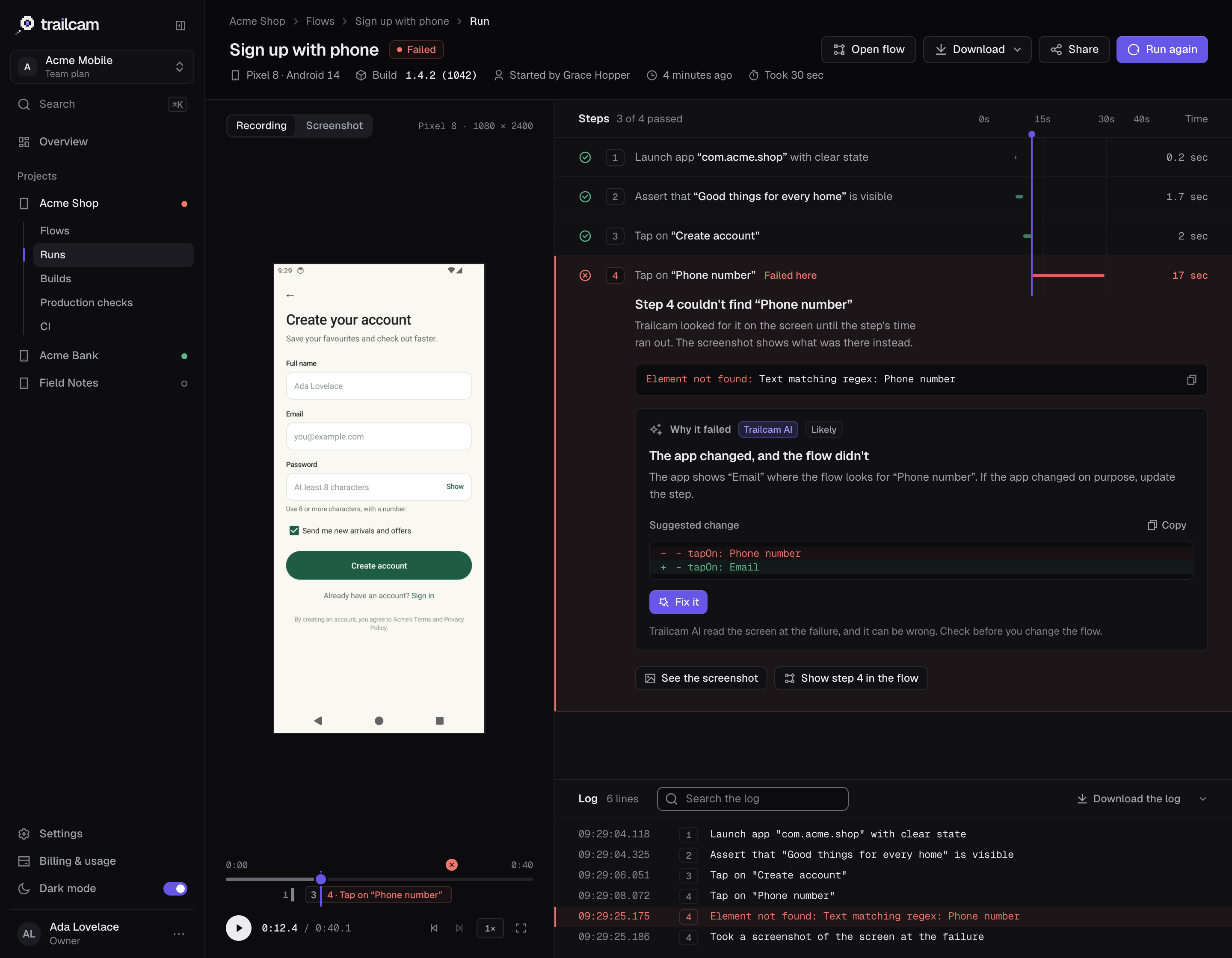
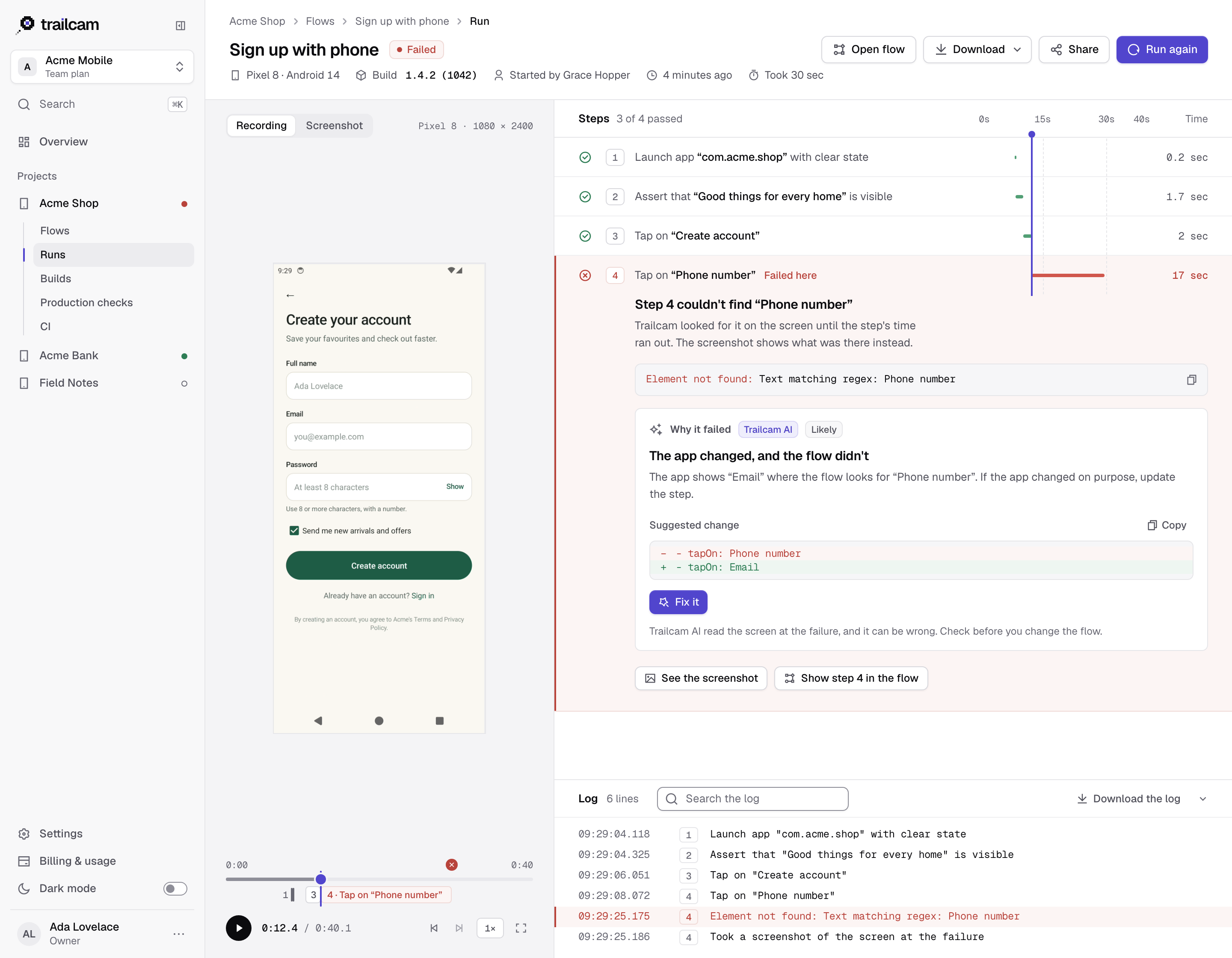
A failed run in Trailcam: the recording on the left, the steps on the right with step 4 failing because it couldn't find “Phone number”, and Trailcam AI's explanation that the app changed and the flow didn't, with the suggested change.A failed run in Trailcam: the recording on the left, the steps on the right with step 4 failing because it couldn't find “Phone number”, and Trailcam AI's explanation that the app changed and the flow didn't, with the suggested change.A failed run in Trailcam: the recording on the left, the steps on the right with step 4 failing because it couldn't find “Phone number”, and Trailcam AI's explanation that the app changed and the flow didn't, with the suggested change.

Everything you need to see what happened

The run's page says what went wrong in plain words, under the step where it happened, with the device's own message and what to try.

  • The recording, in step

    Choose a step to jump to it. As it plays, the step playing is marked and the playhead runs down the steps.

  • The requests your app made

    Each one on the recording's timeline, with how it answered and how long it took. Failed ones are flagged, one click plays the recording from there, and they download as a HAR file for your own tools.

  • The screen at the failure

    What was on the screen when a step failed, which Trailcam AI reads to explain why.

  • The device's log

    Searchable, with the lines from the failure marked, and a JUnit report to download for your own tools.

  • What keeps people out

    The screens a run passes through are checked for words for screen readers, sizes to tap and contrast, and on Android the rest of Google's checks. Each problem is outlined on its screen.

  • The emails it received

    Every run has an email address of its own. Its page shows each email that came: who sent it, the code found, and whether the flow typed it.

  • A fresh device every time

    Each run starts on a clean simulator or emulator, discarded afterwards, so nothing one run does carries over to the next.

  • Share a run

    A link for someone without an account: for 1, 7 or 30 days, with the log only if you choose, and you can turn it off at any time.

  • Kept as long as your plan says

    7 days on Free, 30 on Starter, 90 on Team and 180 on Business. The run's result is kept after its recording goes.

More of Trailcam

Find out before your customers do

Start with the journey that would hurt most if it broke, usually sign-up or checkout. One reliable check beats ten flaky ones.