Skip to the content
NewGoogle's accessibility checks, on every Android run

Know the moment sign-up breaks

Trailcam runs the critical journeys in your iOS and Android apps, like sign-up and checkout, on every build and around the clock in production. Every run is recorded, and when one fails, you see why.

Start free

200 runs a month on Android, free. No card needed.

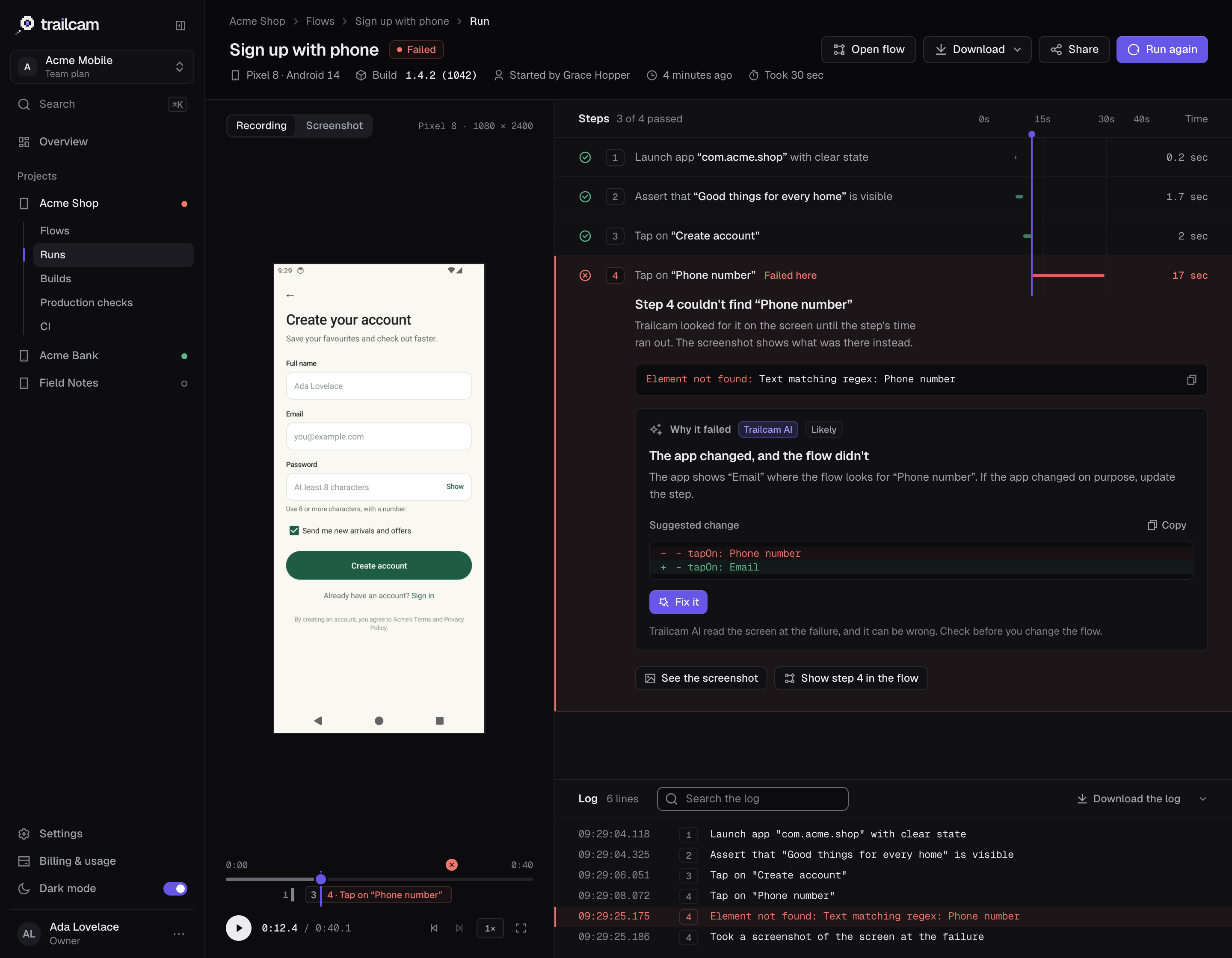
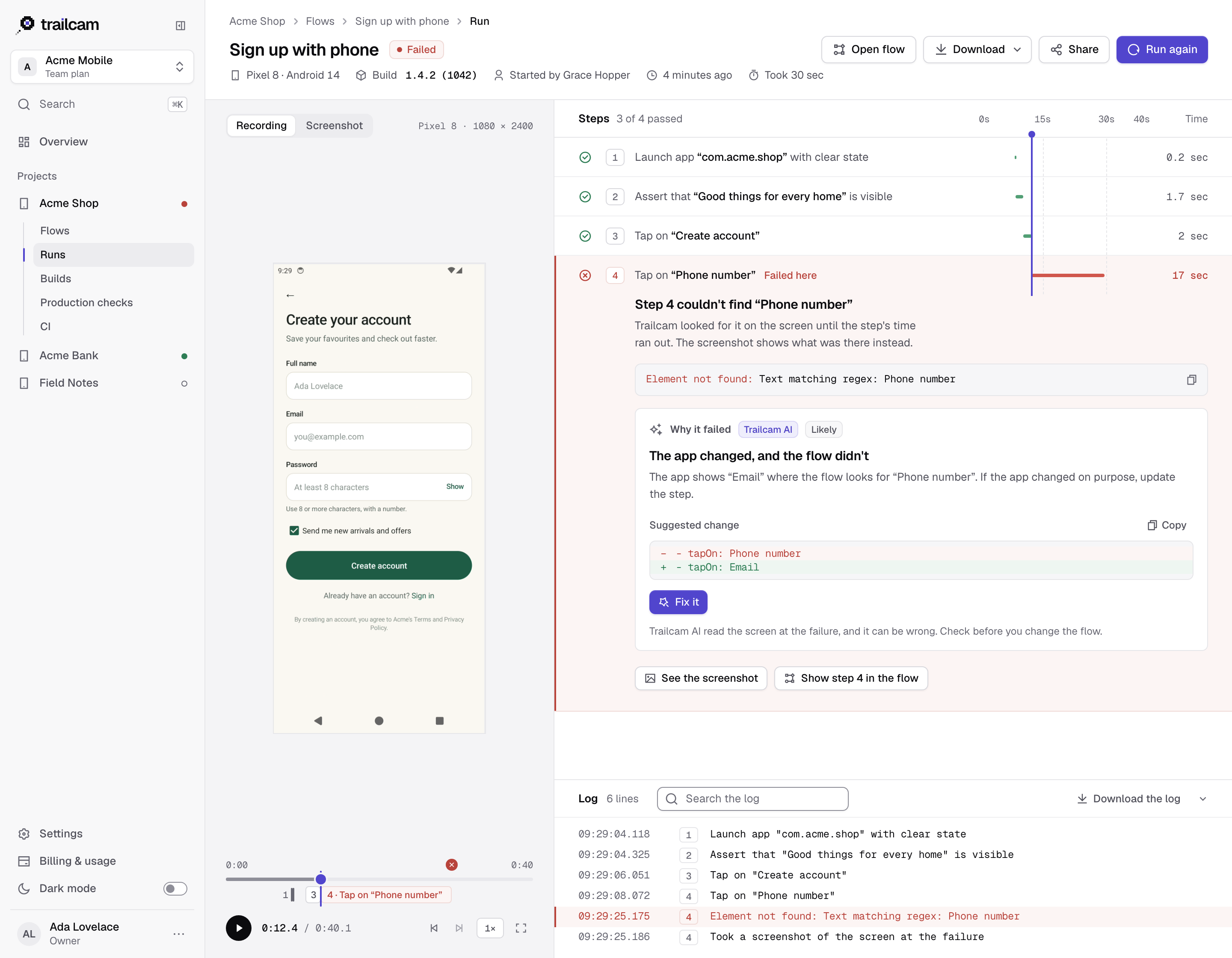
A failed run in Trailcam: the recording on the left, the steps on the right with step 4 failing because it couldn't find “Phone number”, and Trailcam AI's explanation that the app changed and the flow didn't, with the suggested change.A failed run in Trailcam: the recording on the left, the steps on the right with step 4 failing because it couldn't find “Phone number”, and Trailcam AI's explanation that the app changed and the flow didn't, with the suggested change.A failed run in Trailcam: the recording on the left, the steps on the right with step 4 failing because it couldn't find “Phone number”, and Trailcam AI's explanation that the app changed and the flow didn't, with the suggested change.

Your critical journeys, run the way your customers take them

Trailcam runs your flows on hosted iOS simulators and Android emulators, and records every run.

  1. Upload a build

    An Android APK or a zipped iOS simulator build, from the app or from CI. Trailcam reads its name, version and platform.

  2. Find your journeys

    Trailcam AI looks round your app on a device, proposes the journeys worth checking, like sign-up and checkout, and writes the ones you choose. Or write your own in Maestro's YAML.

  3. Run them on every build, and around the clock

    One click monitors the journeys that pass, on a schedule against the build your customers have, and CI runs them on every pull request. Every run is recorded.

When a journey breaks, you know first

Production checks around the clock, incidents that reach the right people, and a pull request check that keeps it from shipping again.

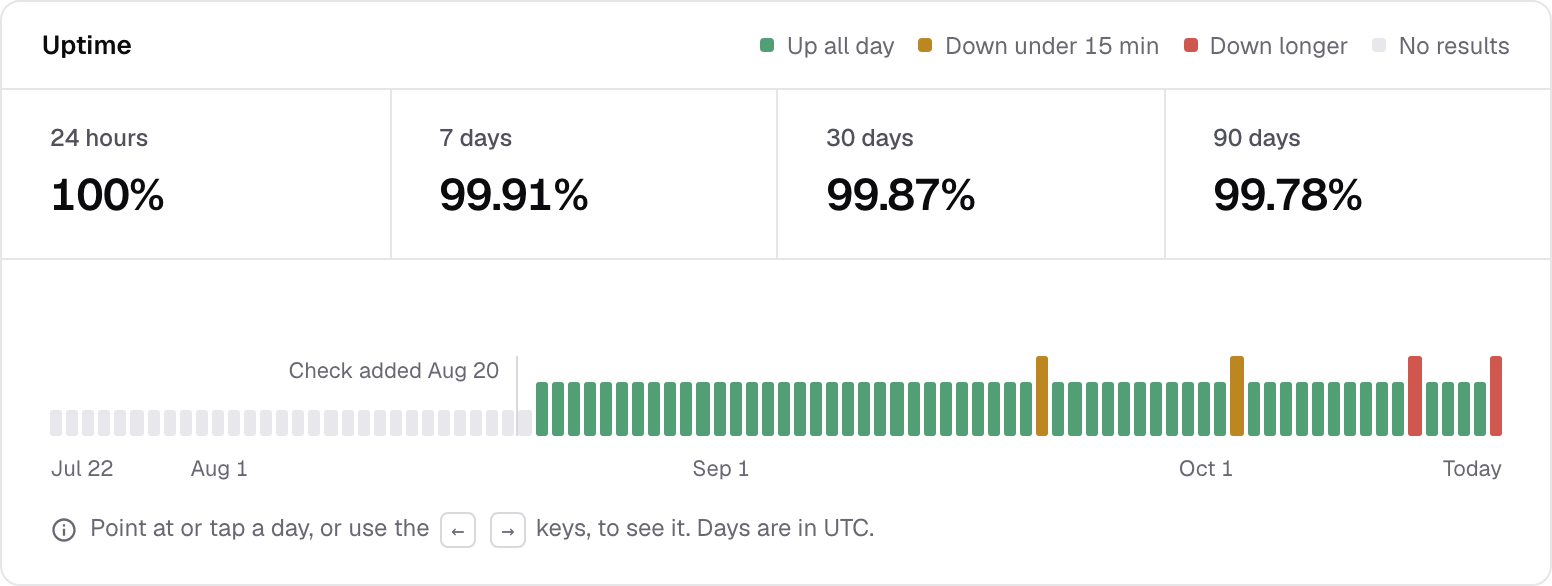
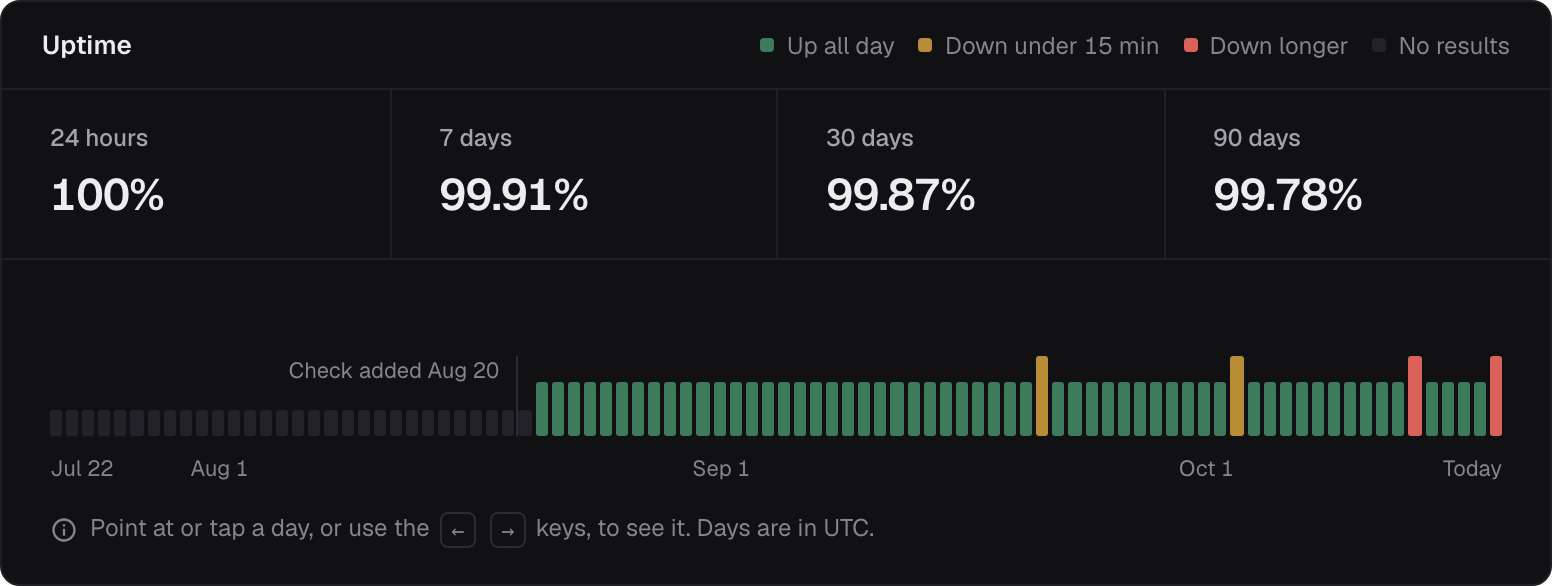
A check's uptime in Trailcam: 100% over 24 hours, 99.91% over 7 days and 99.87% over 30, with a bar for each day.

Checked around the clock

A production check runs a flow against the build your customers have, as often as every 5 minutes, with its uptime day by day.
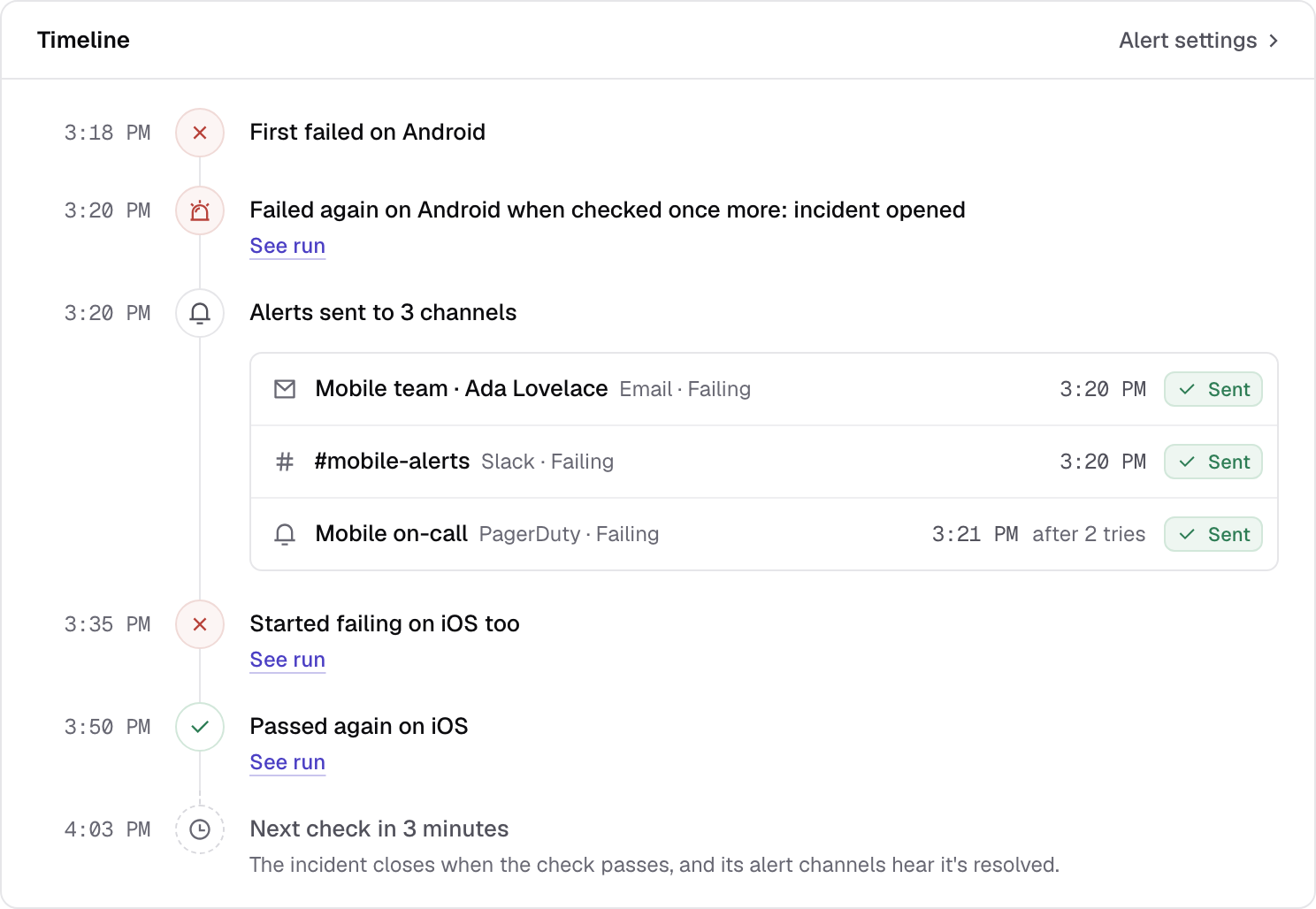
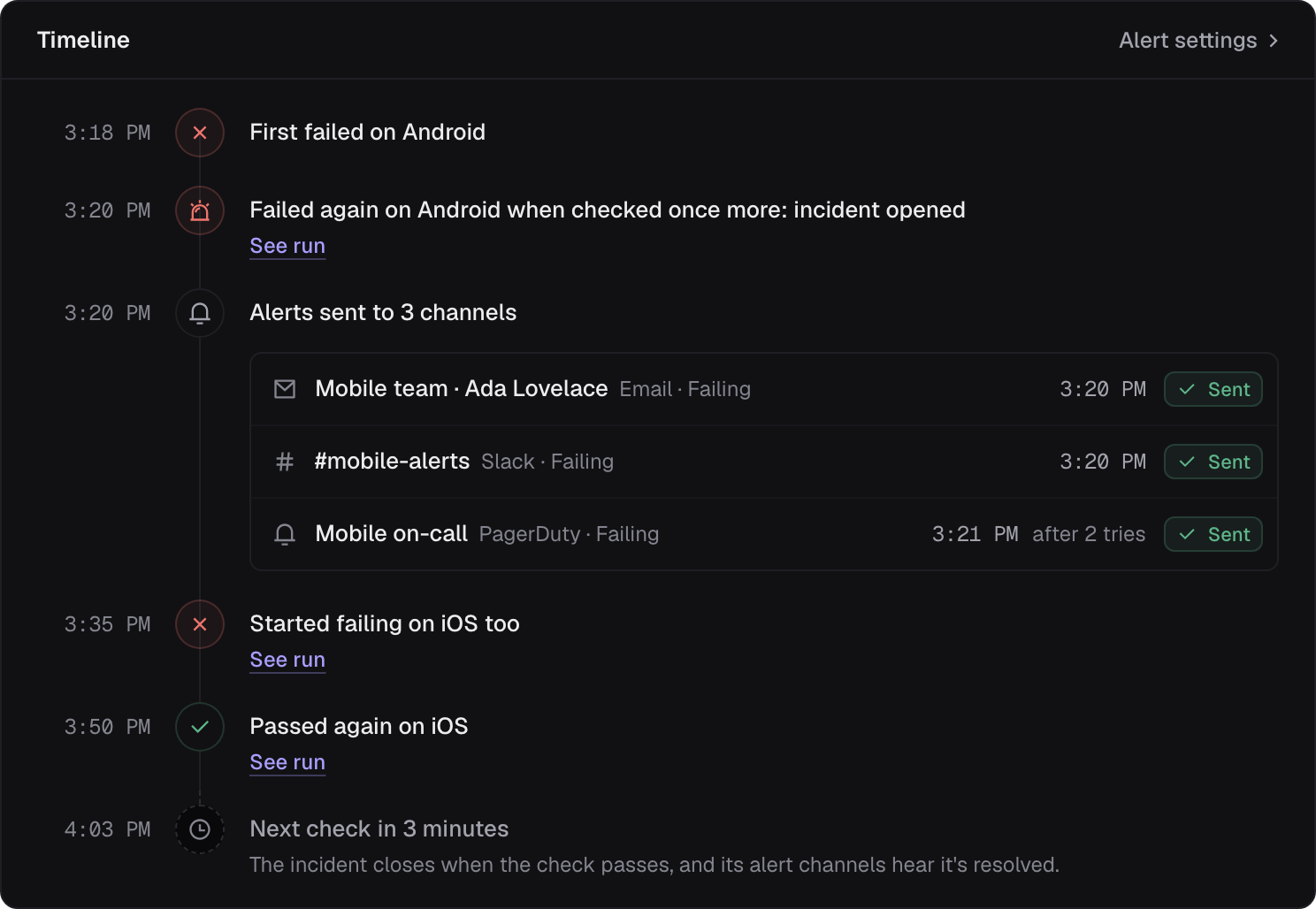
An incident's timeline: first failed on Android, failed again when checked once more and the incident opened, alerts sent to email, Slack and PagerDuty, then failing on iOS too and passing again.

Opened on the second failure

One incident, start to finish

A failure is checked once more before anyone is alerted. Then every failure, recheck and alert, until it passes again.
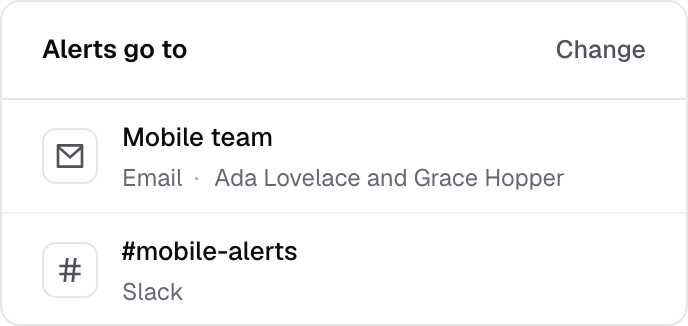
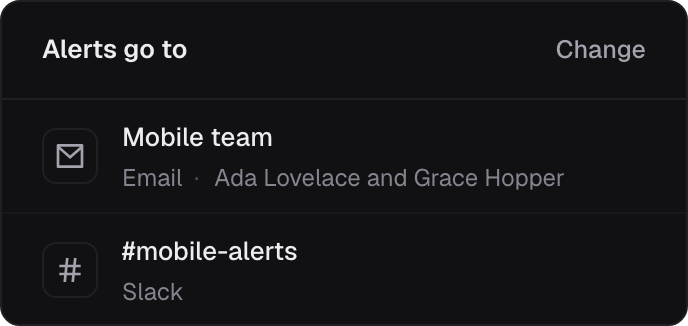
Where a check's alerts go: the mobile team by email, and the #mobile-alerts channel in Slack.

Alerts where your team is

Email, Slack, a webhook or PagerDuty, with the step that failed, the screen at the time and the recording.
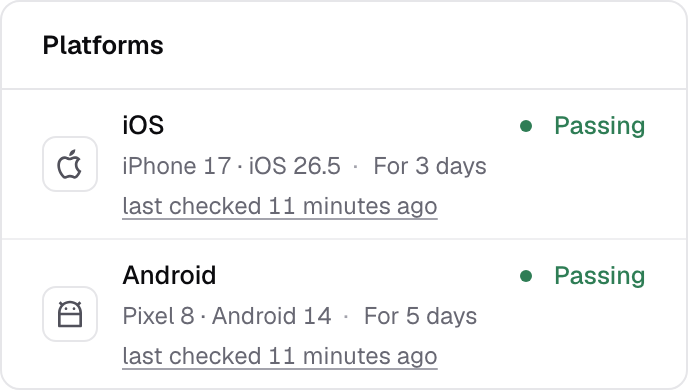
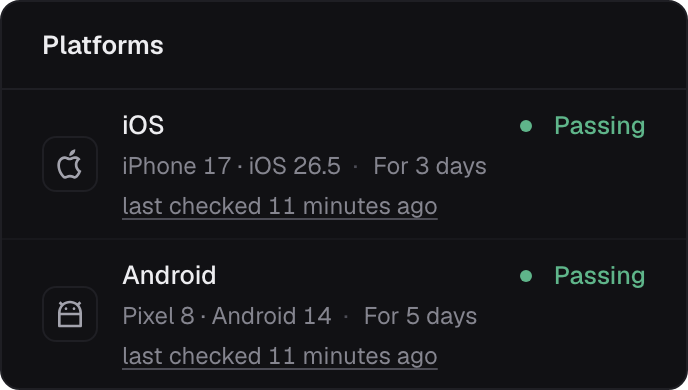
A check's platforms: iOS and Android, each passing, each with when it was last checked.
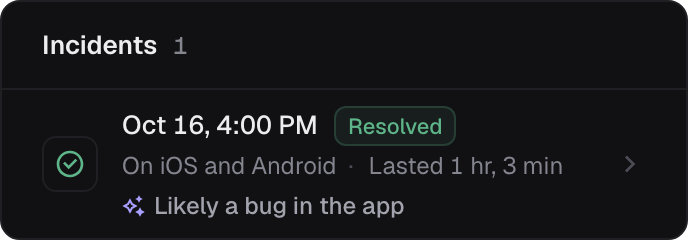
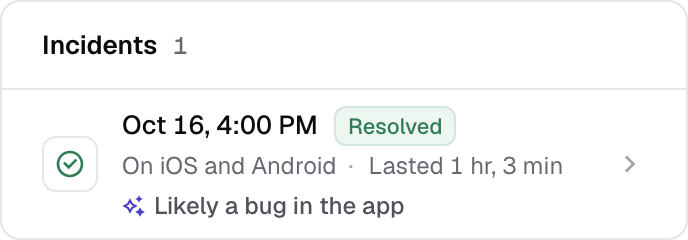
A check's incidents: one on October 16, on iOS and Android, resolved after 1 hour and 3 minutes, likely a bug in the app.

iOS and Android, each on its own

Each platform is checked and reported apart, so you know which one broke, and for how long.

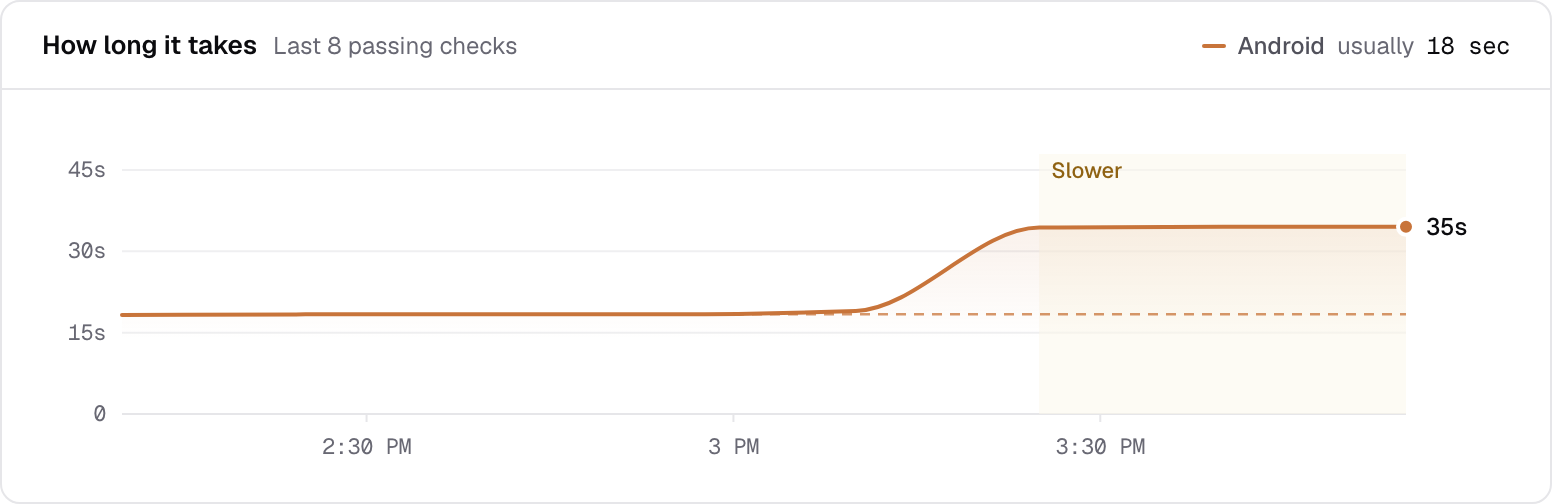
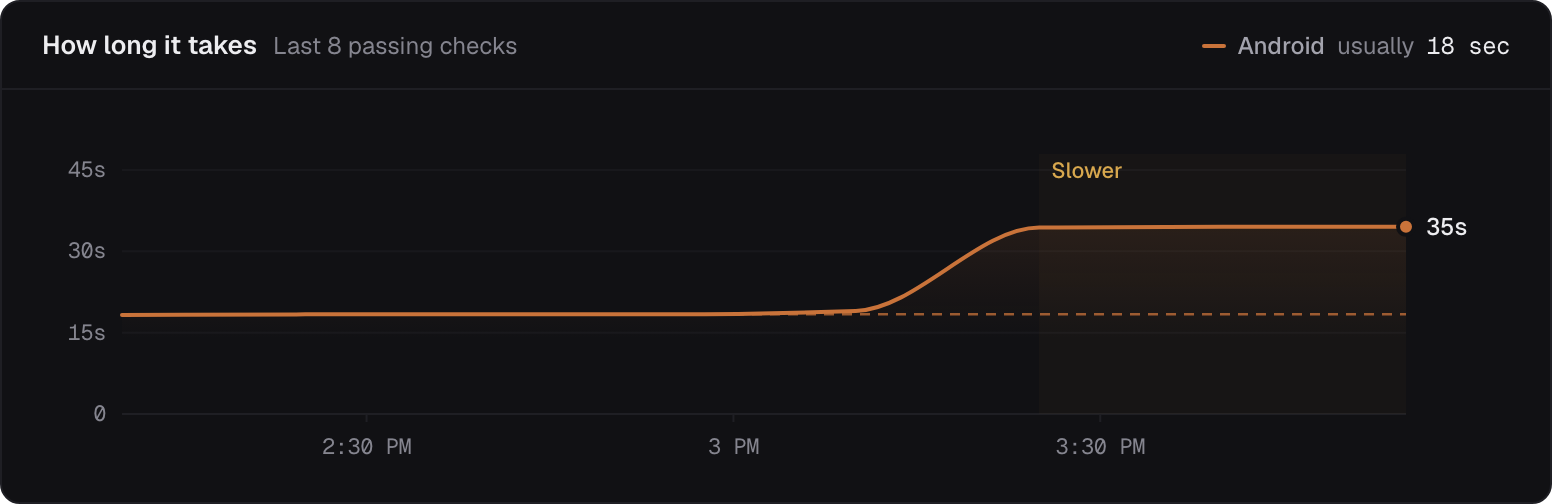
How long Buy a mug takes on Android: its usual 18 seconds, then 35 over the last three checks, shaded as slower.

Slower, before it's broken

Trailcam knows how long each journey usually takes. When a check stays markedly slower, you hear, with the step that slowed most.

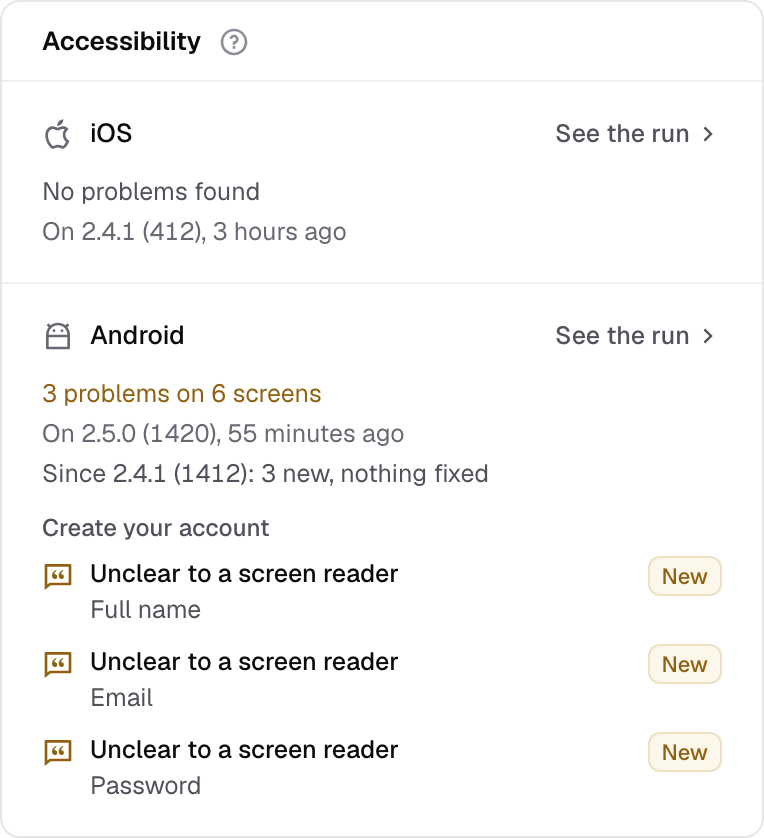
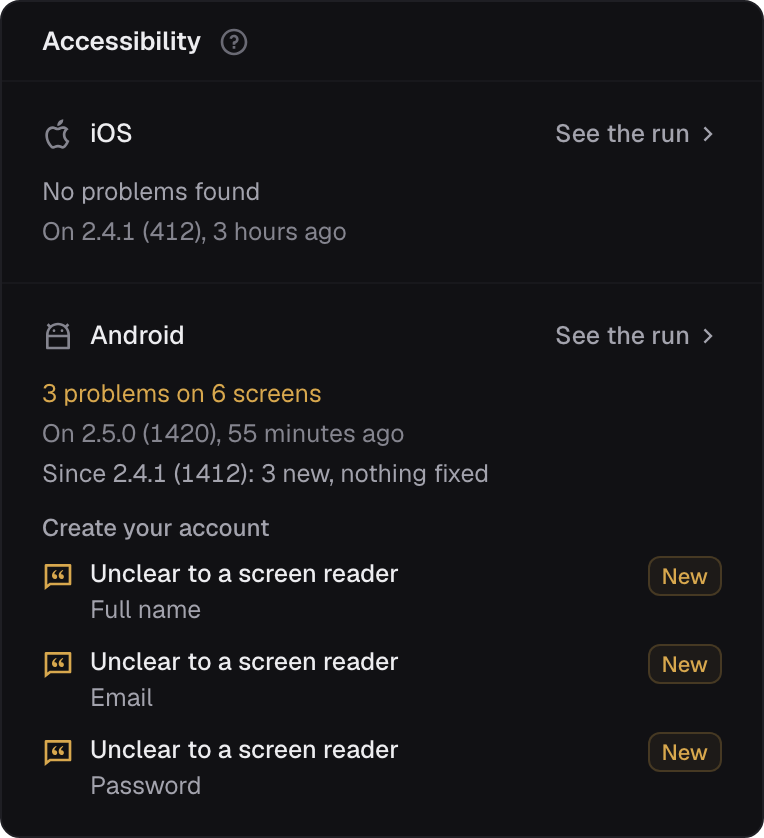
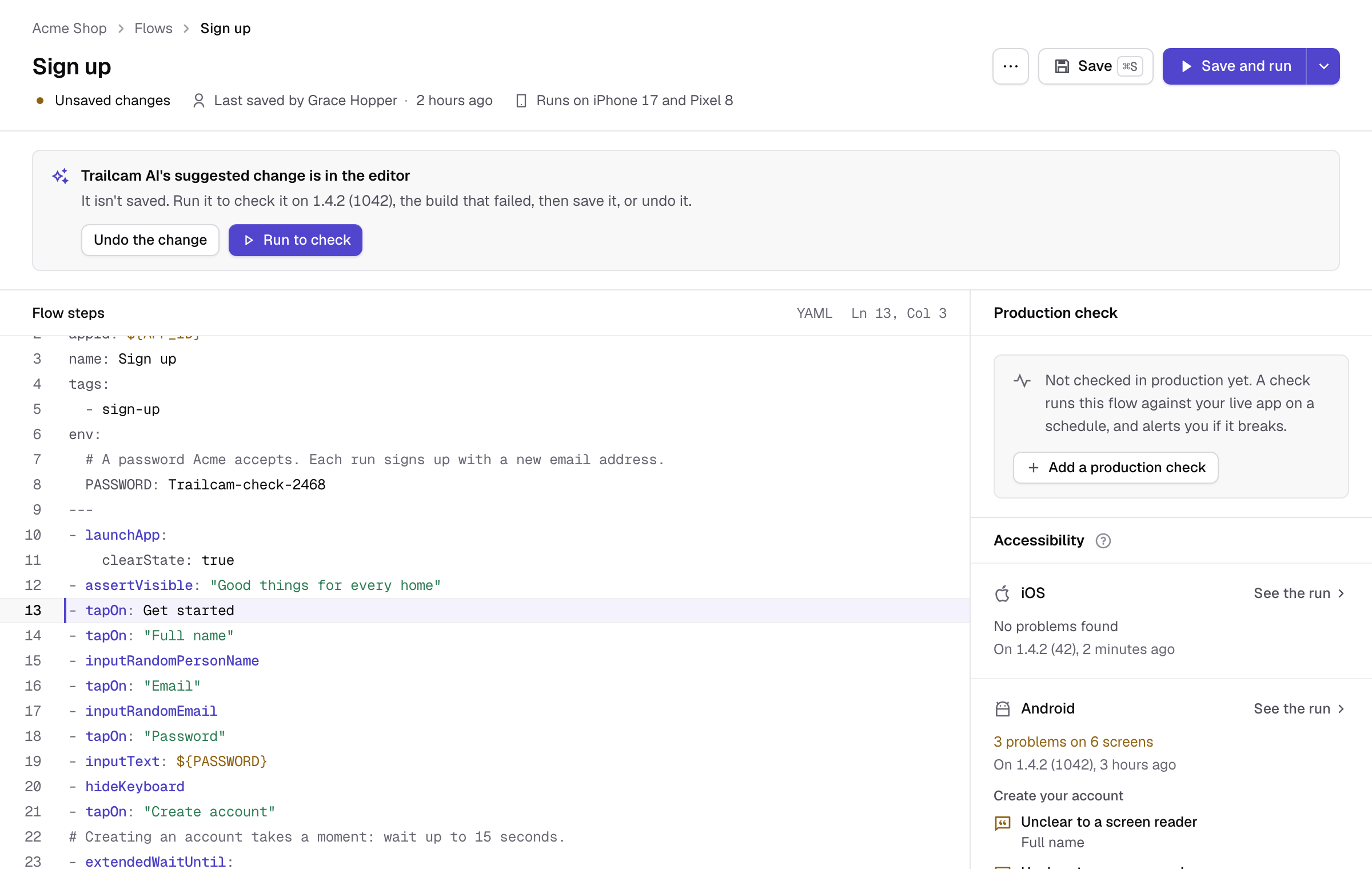
A journey's accessibility report: no problems on iOS, and 3 problems on 6 screens on Android, each new on this build and unclear to a screen reader.

An accessibility report from the journeys you run

Every run checks the screens it passes through for what keeps people out, with Google's checks on Android, and shows what's new on each build.

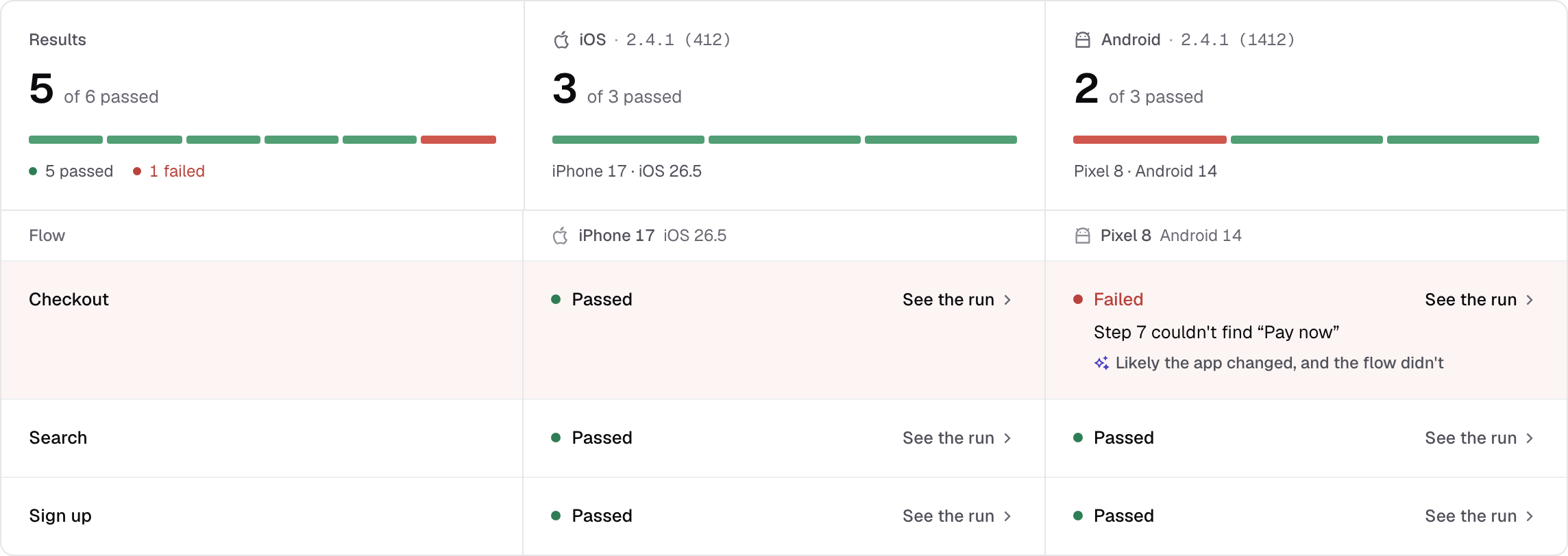
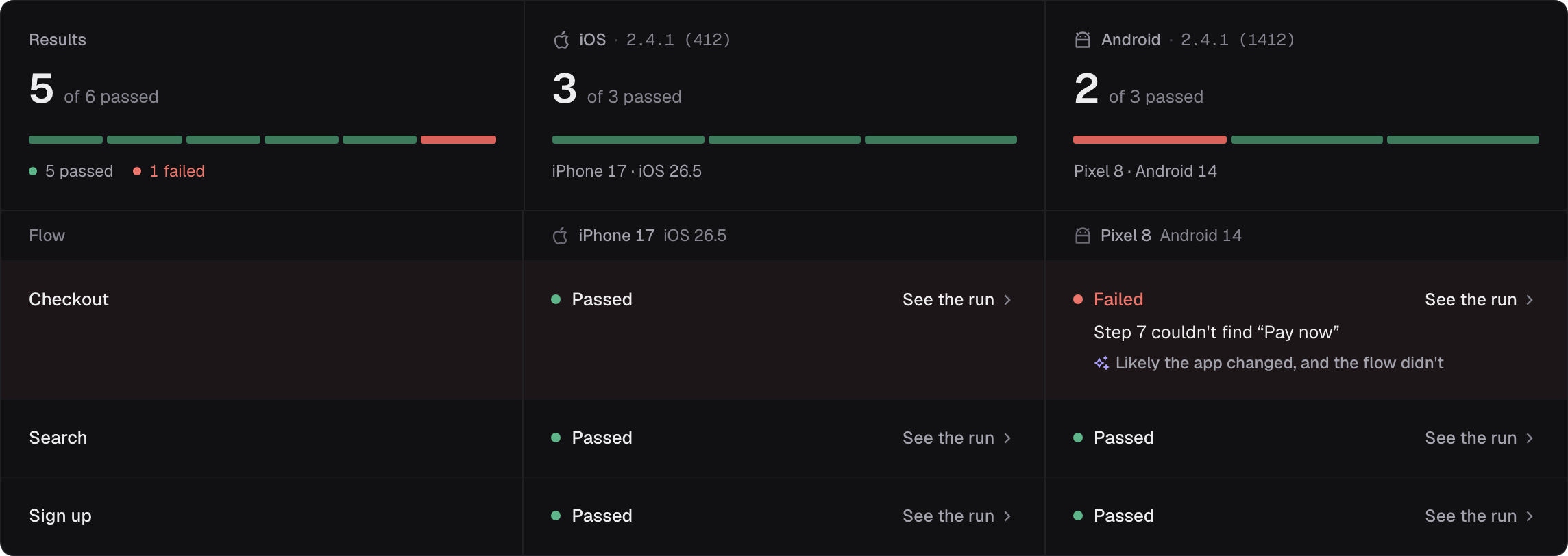
A pull request's results: 5 of 6 runs passed, with checkout failing on Android because it couldn't find “Pay now”, and Trailcam AI's view that the app changed and the flow didn't.

Why, from Trailcam AI

A failing flow fails the pull request

The GitHub Action and the command-line tool run your flows on the build your CI made, with a status check on every commit and one comment per pull request.

See why it failed, not only that it did

Trailcam AI reads the screen at the failure and the requests around it, and names the likely cause: a bug in your app, a problem on its server, a step that's out of date, or something in the way. When the flow needs to change, it suggests the change.

  • When your app's server is to blame, it says so, and names the request that failed.
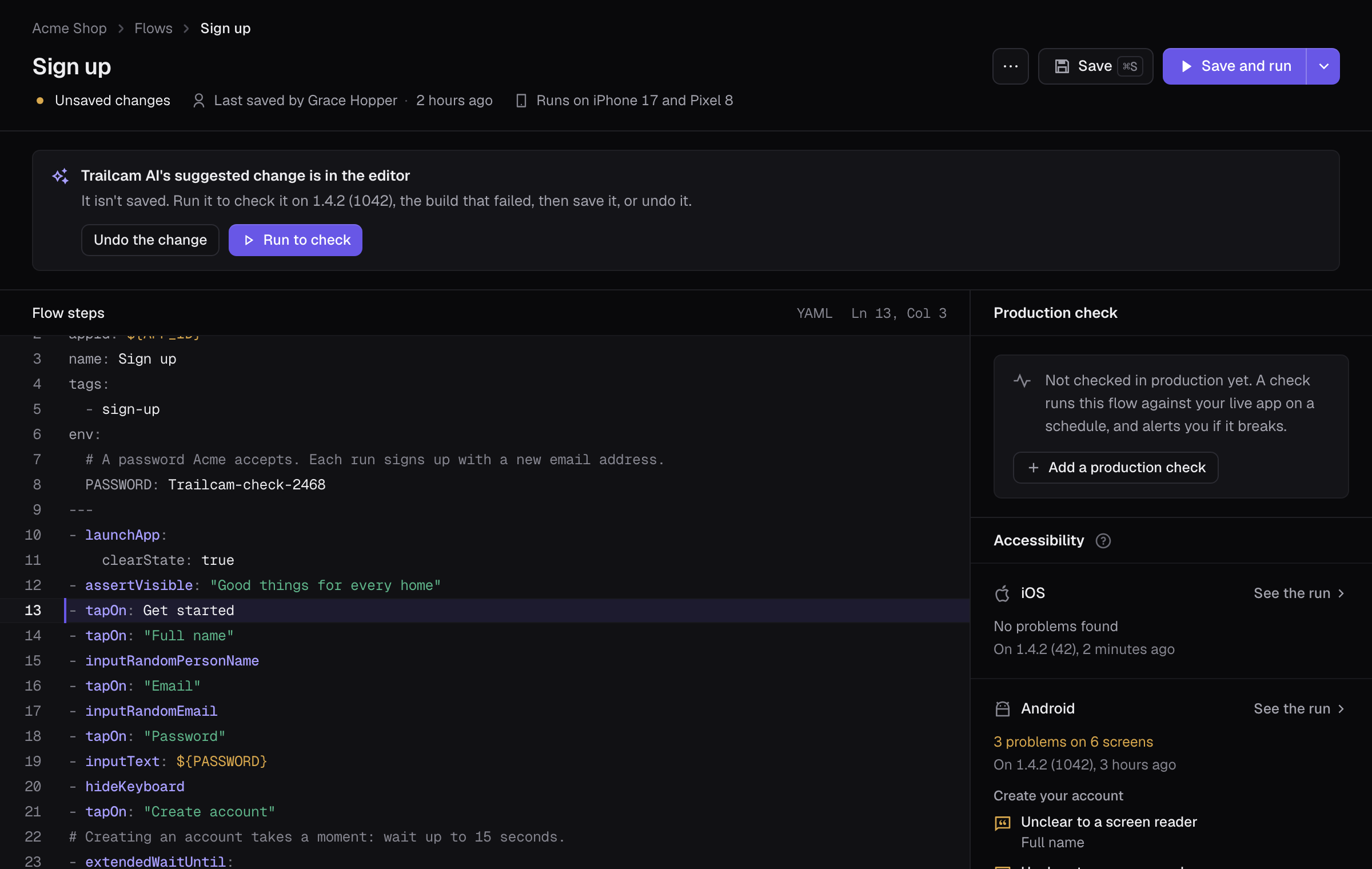
  • Fix it puts the suggested change in the flow editor. Run it to check, then save it, or undo it.
  • It quotes what it saw on the screen, and says when it isn't sure.
Trailcam's flow editor with Trailcam AI's suggested change in place: “Get started” instead of “Create account”, ready to run on the build that failed.

Add it to the workflow you have

Link your repository in Trailcam, add the action after your build, and every pull request shows how your journeys did.

Run from CI
.github/workflows/trailcam.yml
jobs:
  android:
    runs-on: ubuntu-24.04
    steps:
      - uses: actions/checkout@v7
      - run: ./gradlew assembleDebug
      - uses: trailcam/action@v1
        with:
          project: <your project's ID>
          build: app/build/outputs/apk/debug/app-debug.apk

Runs from the CI you have, alerts where your team is

Builds come in from the CI you run today, and what Trailcam finds goes to the channels your team already reads.

From your CI

The GitHub Action gives every commit a status check and every pull request one comment. Anywhere else, one command runs your flows.

  • GitHub Actions
  • GitLab
  • Bitrise
  • CircleCI
  • Codemagic
  • EAS Build

To your team

Every alert comes with the step that failed, the screen at the time and the recording.
  • Email
  • Slack
  • A webhook
  • PagerDuty

Built to be trusted with the journeys that matter

  • A fresh device for every run

    Phones, tablets and a foldable, on iOS and Android. Each run starts on a clean one, discarded afterwards, so nothing one run does carries over to the next.

  • Every run recorded

    The recording, in step with the flow's steps, the requests your app made, the device's log, the screen at the failure, and a link to share it.

  • Sign-ups that email a code

    Every run has an email address of its own. Trailcam reads the code your app sends, so a sign-up that confirms its email is checked like any other journey.

  • Describe a journey, get a flow

    Say what to do in plain words. Trailcam AI does it on a device and writes the flow, and says where it got stuck.

  • For the whole team

    Owners, admins, members and viewers, each seeing what they need, and an audit log of every change on every plan.

  • An API for your own tools

    Upload builds, run flows and read their results from your own tools, with a CI key or from GitHub Actions.

Pay for runs, not seats

Everyone on your team is included. Start free with 200 runs a month; on a paid plan, runs past your plan's are $10 per 1,000.

Starter
$49 /mo
Team
$249 /mo
Business
$749 /mo
Compare plans

Find out before your customers do

Start with the journey that would hurt most if it broke, usually sign-up or checkout. One reliable check beats ten flaky ones.