
A failing flow fails the pull request
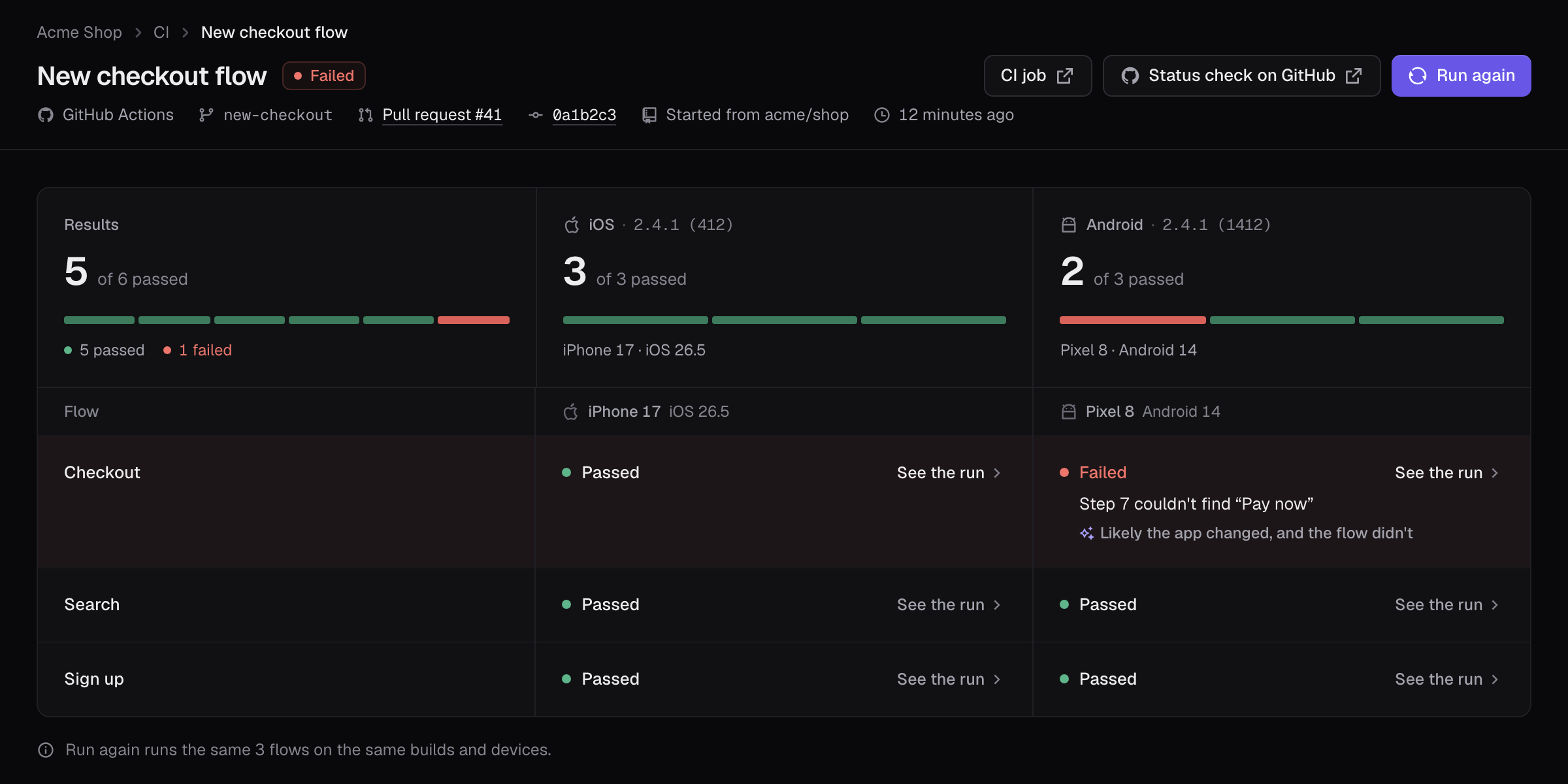
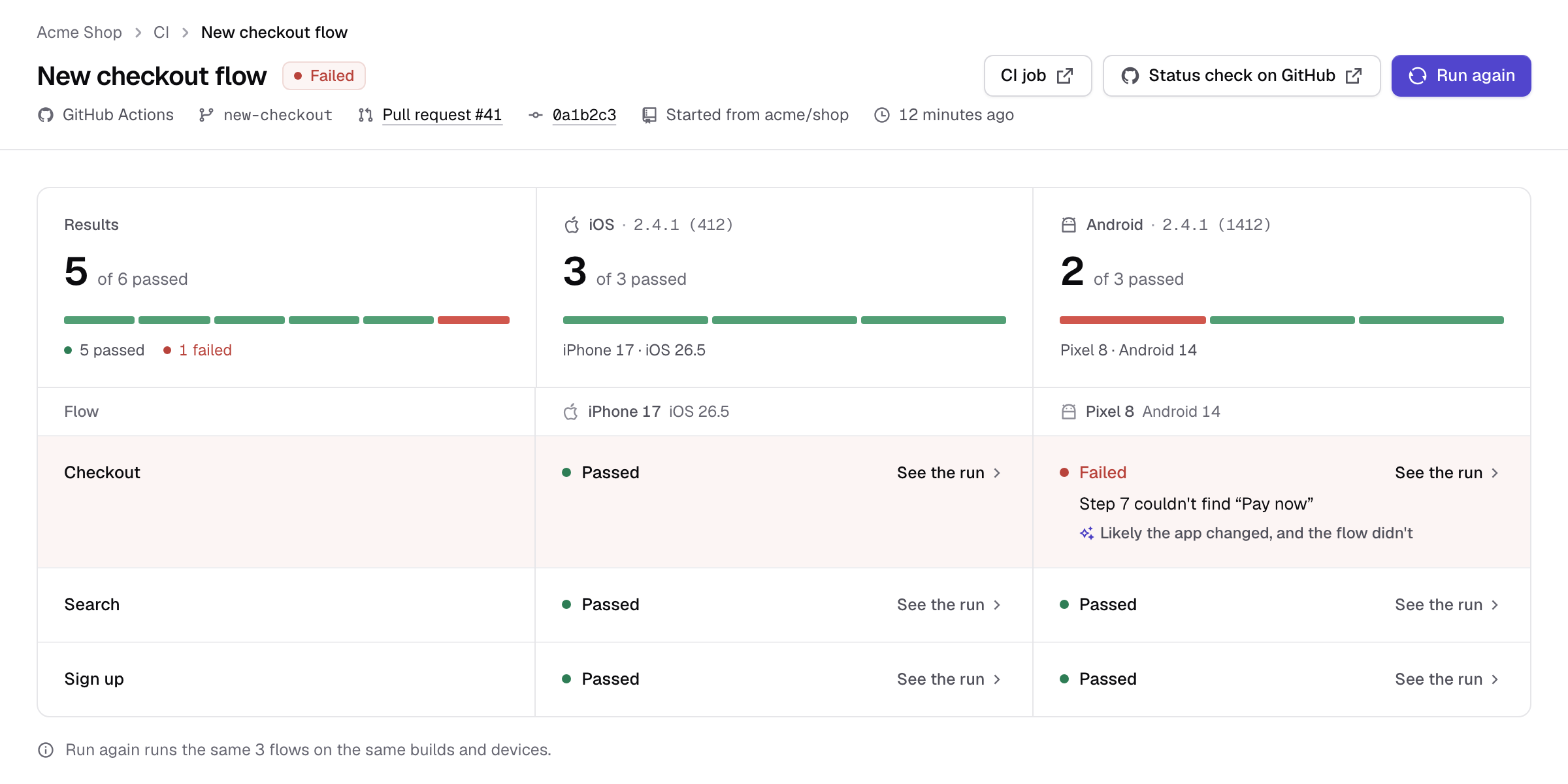
With each failure, what went wrong and, when Trailcam AI can tell, why.

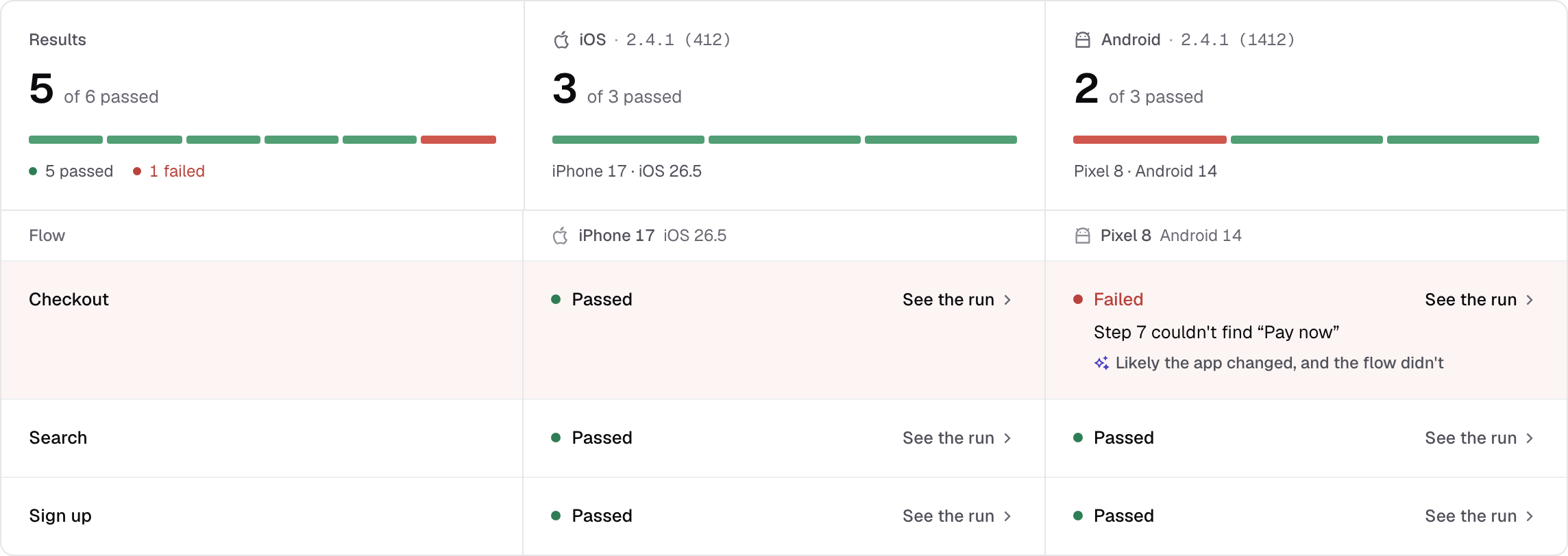
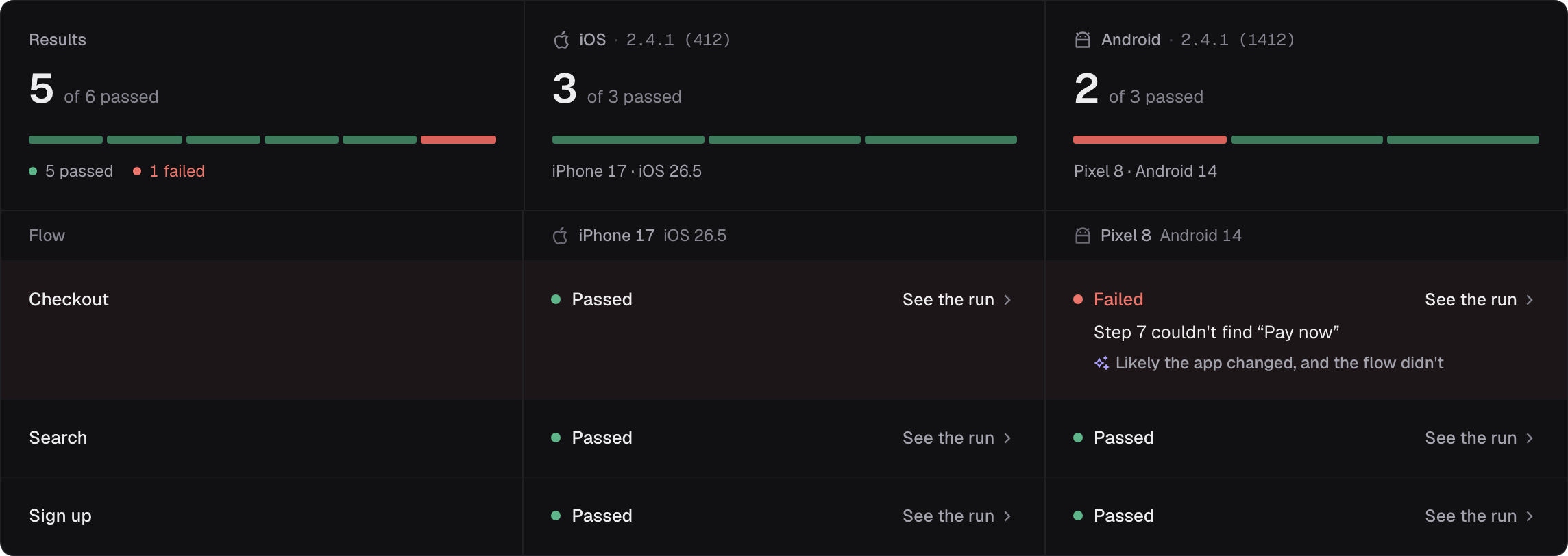
After your CI builds the app, Trailcam uploads the build, runs your flows on it and waits for the results. A failing flow fails the job, and the pull request shows each flow's result.
Runs from the CI you have, and alerts where your team is
Each flow on each device is one run, as anywhere else in Trailcam. Flows with errors are skipped and listed in the results instead of running.
Link your repository on the project's CI tab, then add the action after the step that builds your app.
name: Trailcam
on:
  pull_request:
  push:
    branches: [main]
permissions:
  contents: read
  id-token: write
jobs:
  android:
    runs-on: ubuntu-24.04
    steps:
      - uses: actions/checkout@v7
      - run: ./gradlew assembleDebug
      - uses: trailcam/action@v1
        with:
          project: <your project's ID>
build: app/build/outputs/apk/debug/app-debug.apkWith each failure, what went wrong and, when Trailcam AI can tell, why.

Start with the journey that would hurt most if it broke, usually sign-up or checkout. One reliable check beats ten flaky ones.