Skip to the content

See why it failed, not only that it did

Trailcam AI finds the journeys worth checking, explains failures, suggests fixes, writes flows from a description and checks screens for problems.

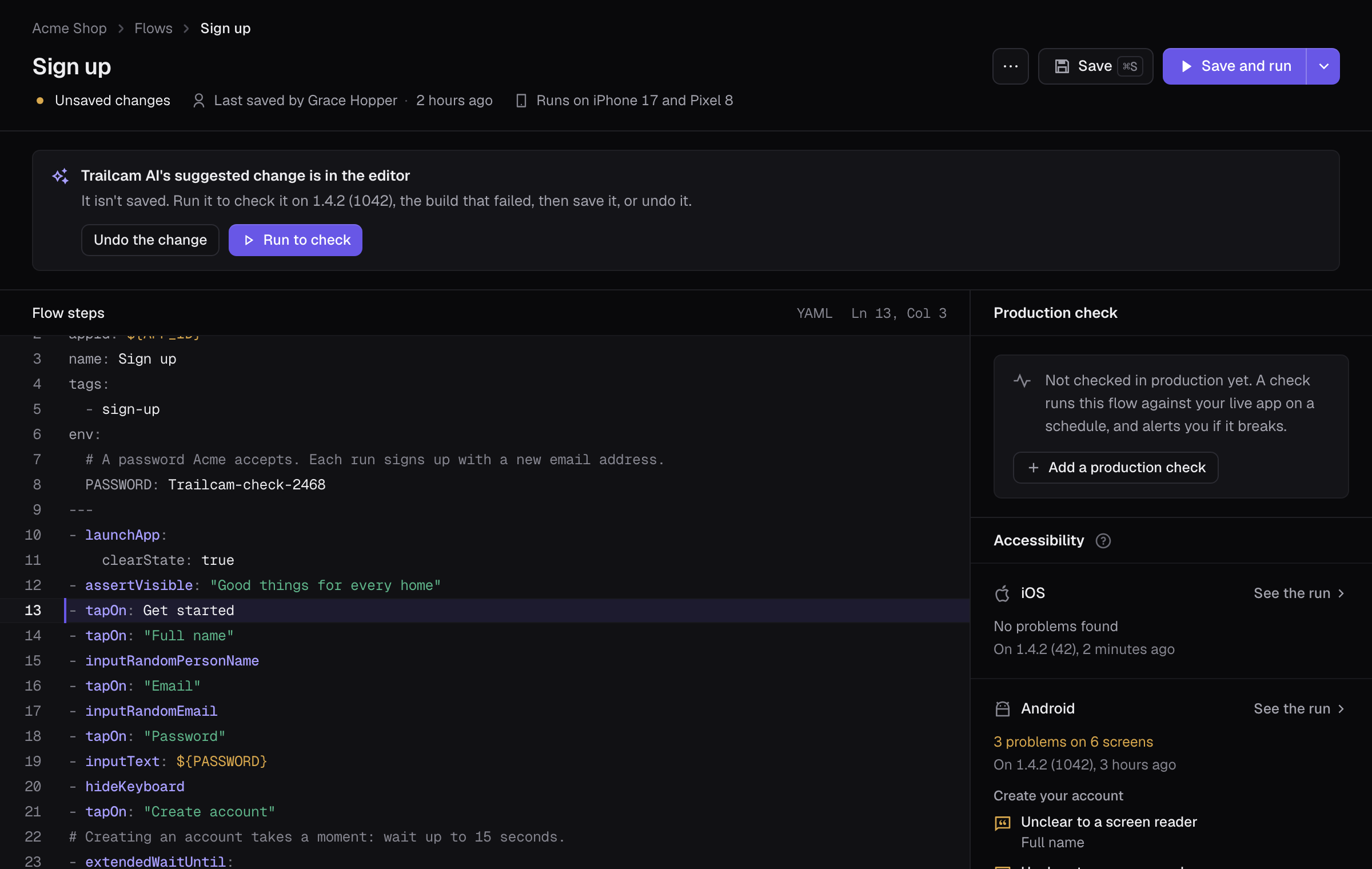
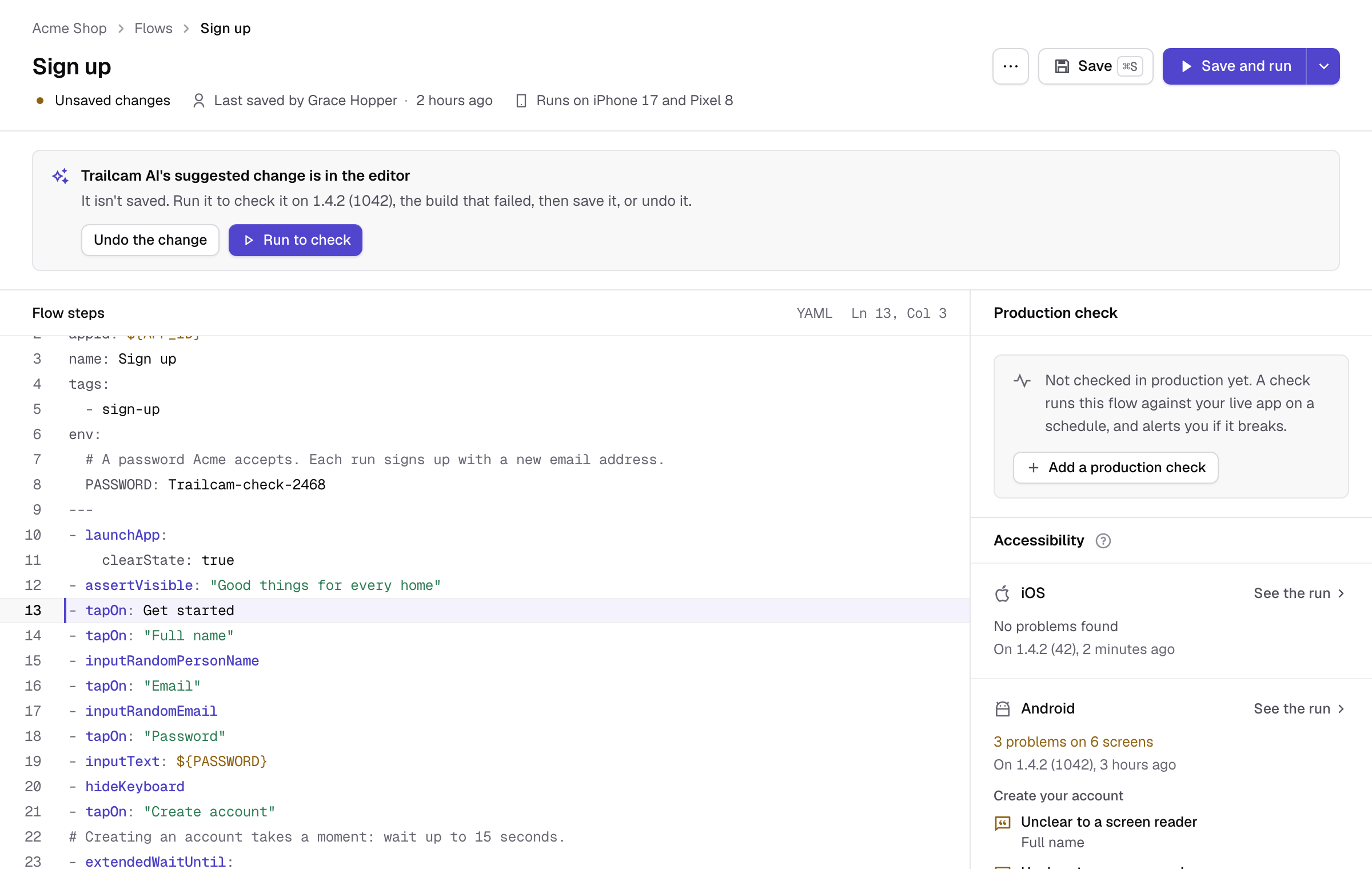
Trailcam's flow editor with Trailcam AI's suggested change in place: “Get started” instead of “Create account”, ready to run on the build that failed.Trailcam's flow editor with Trailcam AI's suggested change in place: “Get started” instead of “Create account”, ready to run on the build that failed.Trailcam's flow editor with Trailcam AI's suggested change in place: “Get started” instead of “Create account”, ready to run on the build that failed.

An answer you can check

It quotes what it saw on the screen, says how sure it is, and says so when it isn't. Its explanation is on the run's page, incidents, alerts, pull request comments and CI.

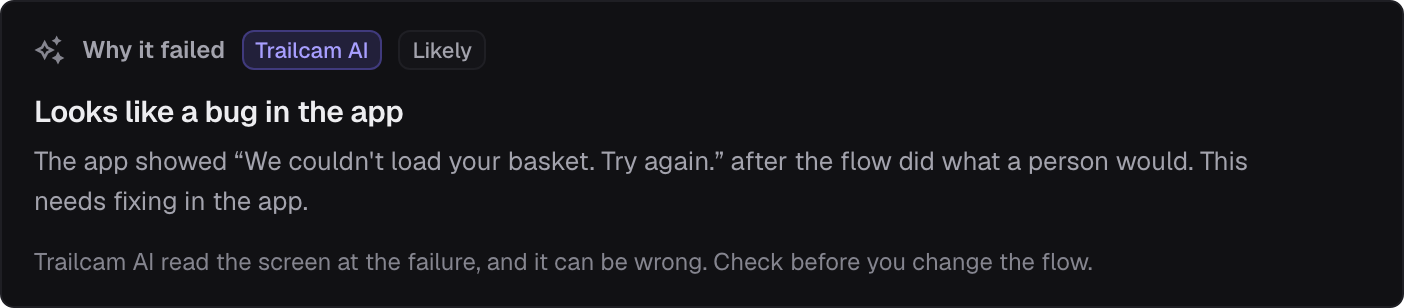
Looks like a bug in the app

Checkout failed because the basket didn't load, so “Pay now” never appeared: the app needs fixing, not the flow.

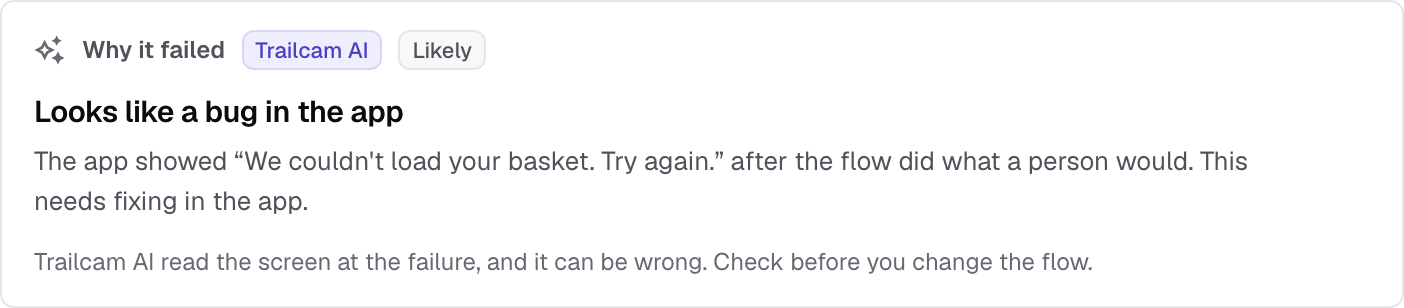
Trailcam AI's view of a failure: looks like a bug in the app, likely. The app showed “We couldn't load your basket. Try again.” after the flow did what a person would.

Everything Trailcam AI does

Your data isn't used to train any model, and an Owner can turn Trailcam AI off for the workspace.

  • Find my journeys

    Upload a build, and Trailcam AI looks round your app, proposes the journeys worth checking and writes the ones you choose. One click monitors them. See how

  • Why it failed, and Fix it

    It names the likely cause: a bug, a problem on your app's server, with the request that failed, a flow that's out of date, test data, something in the way, or a slow app. When the flow needs to change, it suggests the change.

  • Describe it

    Say what to do in plain words. Trailcam AI does it on a device and writes the flow, and says where it got stuck. On paid plans.

  • Visual checks

    After a run passes, a last screen that changed is checked for an error, a blank screen, a broken layout or placeholder text. On paid plans.

  • AI commands in flows

    Maestro's assertWithAI, assertNoDefectsWithAI and extractTextWithAI work on Trailcam with no key of your own.

  • What it sees, and what it doesn't

    The structure of the screen at the moment that matters, the step and its error, and where the app's requests around it went and how they answered. Your flow's variables only by name, and never a password field.

More of Trailcam

Find out before your customers do

Start with the journey that would hurt most if it broke, usually sign-up or checkout. One reliable check beats ten flaky ones.